
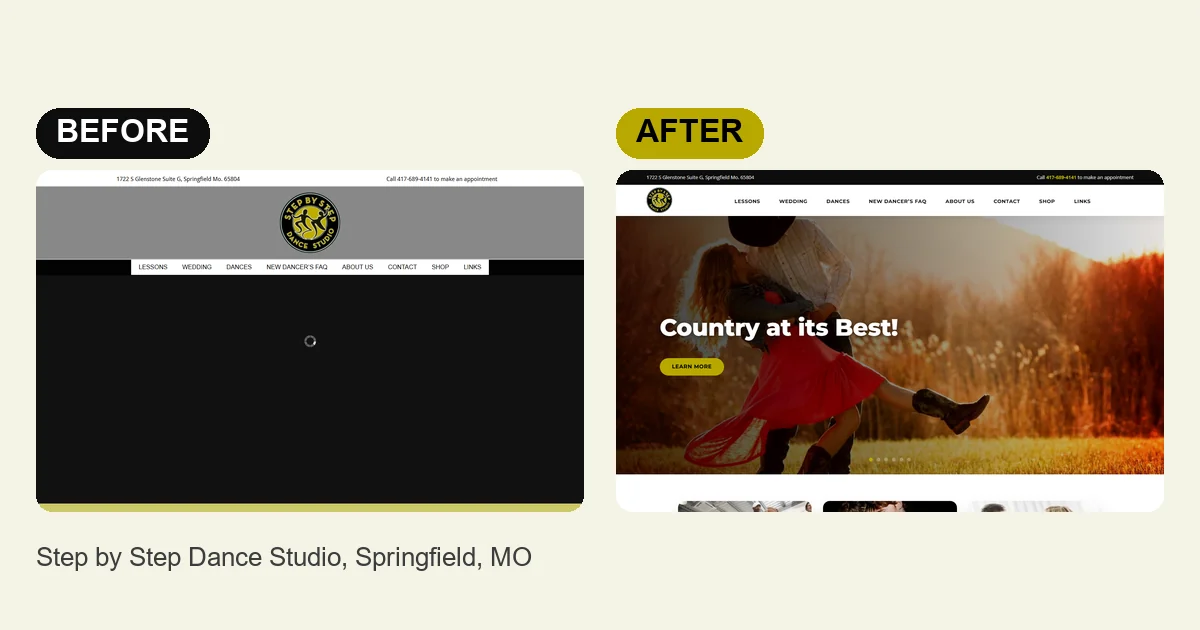
You open your website and see a spinning circle where your photos should be. Your visitors see it too, and most of them will not wait.
That is what happened at Step by Step Dance Studio in Springfield, Missouri. The studio has taught people to dance for more than 15 years. Its website ran on an old theme, and the theme broke. The big photo slider at the top of the home page never loaded, and then the theme crashed the site.
We rebuilt it in Divi 5, one of the most powerful and flexible themes in the world. The look is new, but the site still feels like home to the people who have used it for years. Here is what we found, what we did, and how it looks now.
What the old site looked like
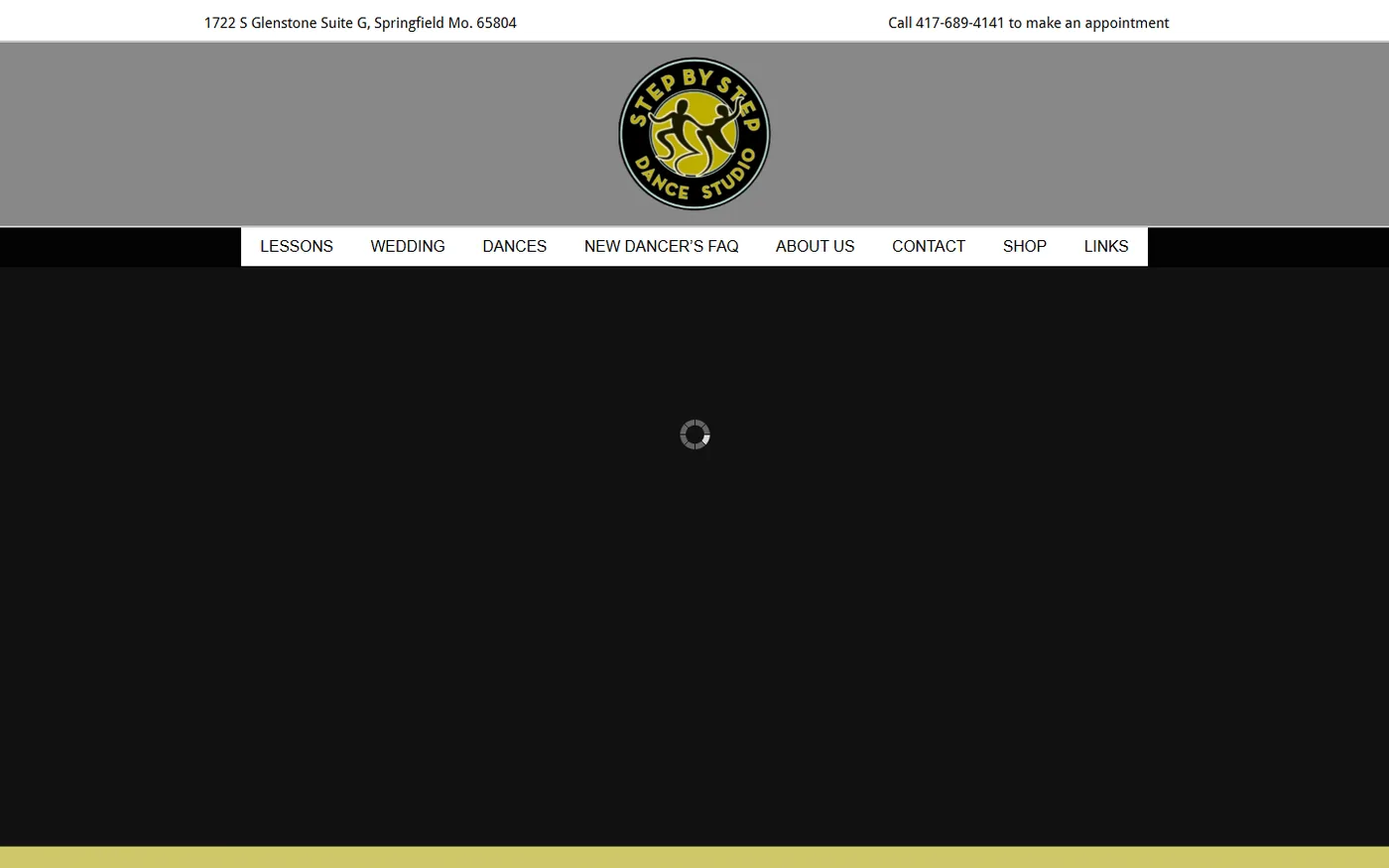
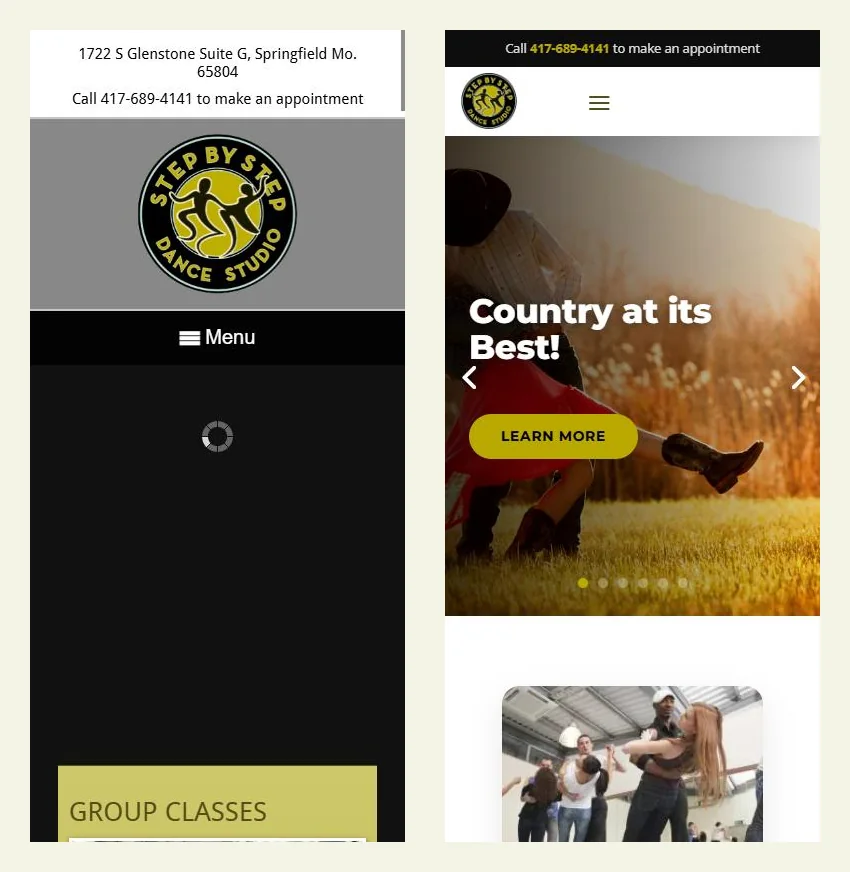
The home page is where a new dancer decides whether to call. The first thing they saw was a black box with a spinner in it. The slider was supposed to show six photos with captions that link to the lesson pages. It never got past the loading wheel.
On a phone it was the same story: a spinner under the menu button, and the rest of the page pushed down below it. The old theme was also the reason for the crash. When a theme stops working, patching it only delays the next break.
Why we rebuilt it in Divi 5
We could have tried to repair the old theme. We chose to rebuild on Divi 5 instead. Divi gives us control over every part of the layout, from the header to the space between sections. That control is what let us change how the site looks without changing who it is.
What stayed the same
- The logo and the black and yellow colors.
- The menu, with the same names in the same order and the same drop-downs.
- The studio's own words. The existing copy carried over, apart from the weekly class schedule, which we updated with the current days and times.
- All 30 pages and 10 blog posts, at the same web addresses, so old links and bookmarks still work.
- The same six photos in the home page slider, with the same captions and links.
What changed
A slider that works. We rebuilt it with Divi's own slider: six slides, a fade every 4 seconds, and a Learn More button on each one. We also added a soft dark fade behind each caption, so the white text stays easy to read over bright photos.

A header that stays with you. A slim black bar carries the address and a tap-to-call phone number. Below it, a white bar holds the logo and the menu, and it stays at the top of the screen as you scroll.
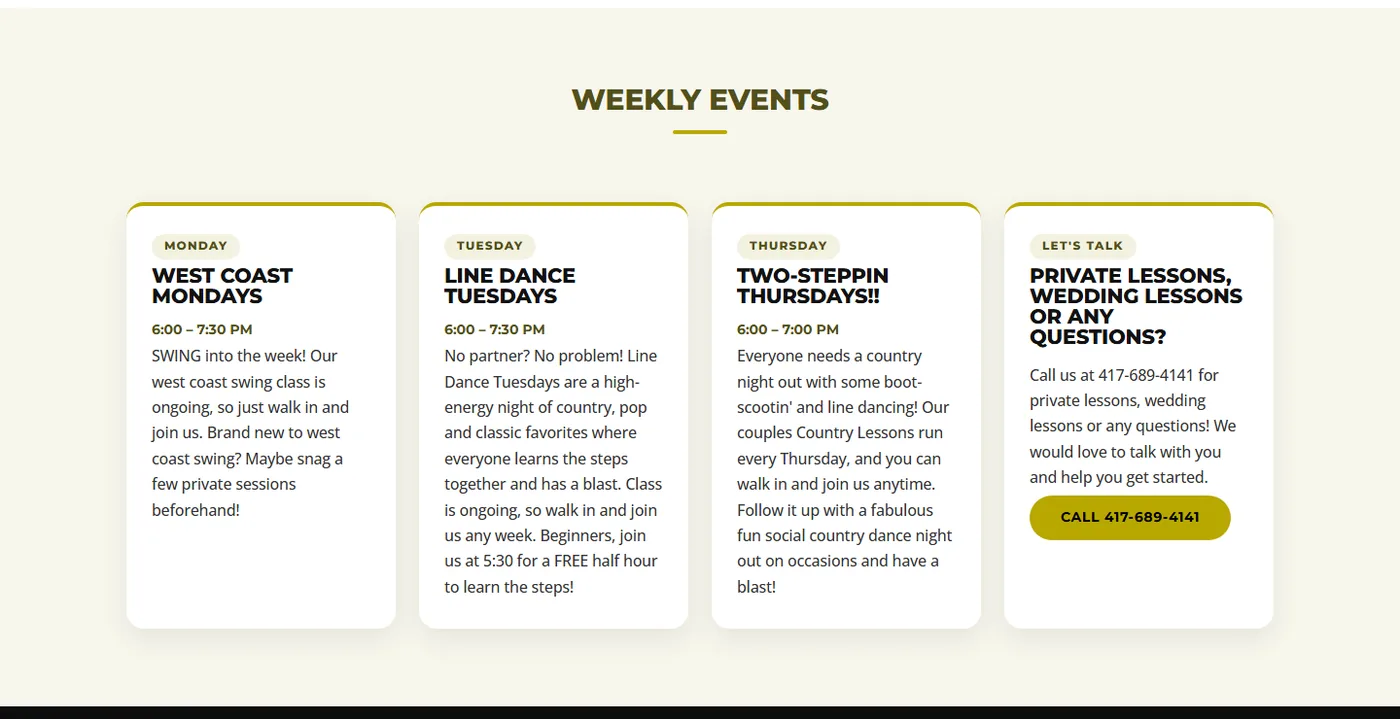
Weekly events you can scan. Each night has its own card with the day, the time and a short description. The classes run all year and anyone can walk in, so the cards say so.
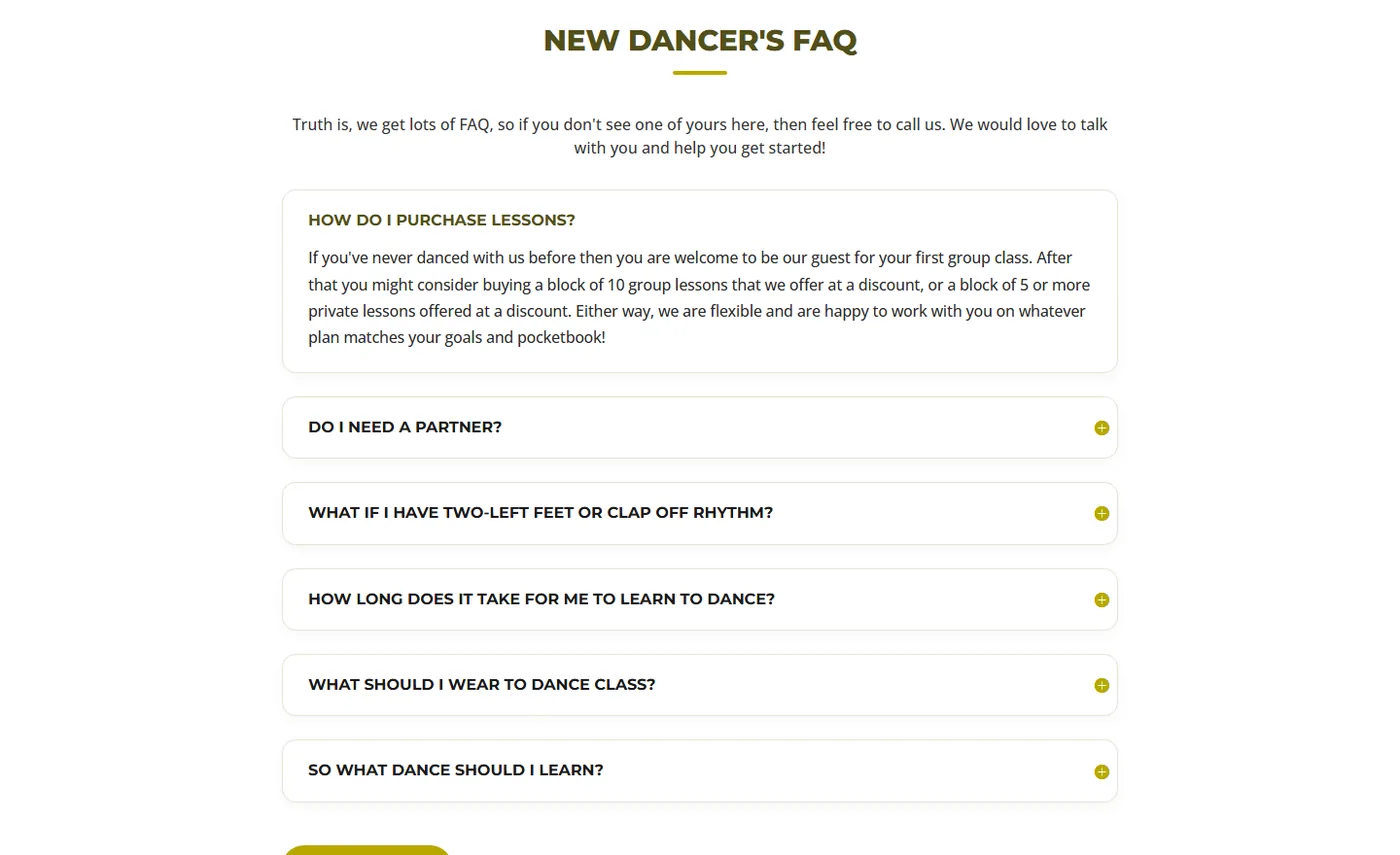
The FAQ on the home page. New dancers ask the same six questions, such as whether they need a partner and what to wear. Now the answers sit right on the home page. The questions are also marked up so search engines and AI tools can read them.
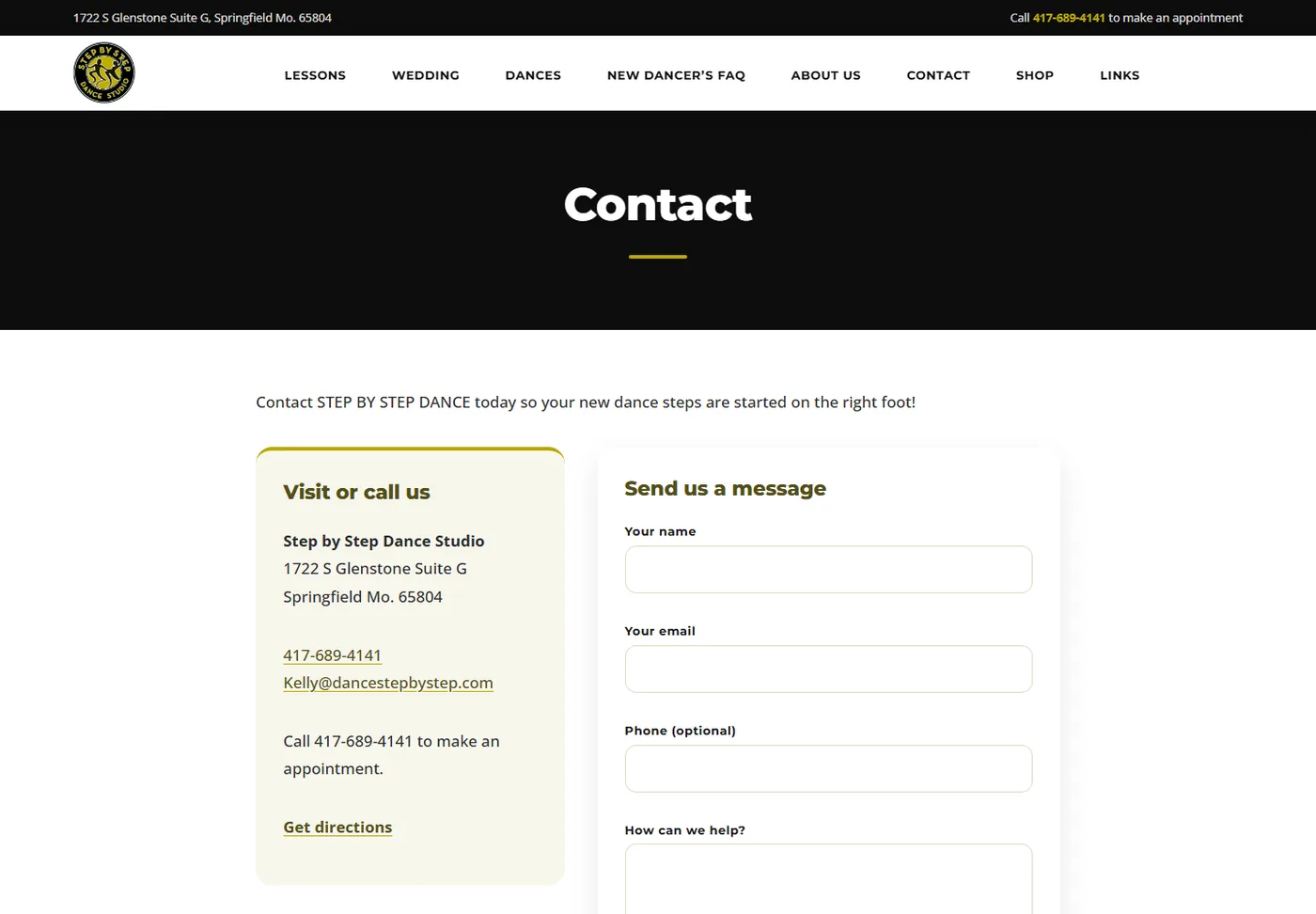
A simple contact page. A short form asks for a name, email, phone number and message, and it sits next to the studio's address, phone, email and a directions link.
A blog and inner pages that match. Every page and post now shares the same title banner and reading width, and the blog is a grid of cards instead of a long list.
Phones. The menu folds into one button, the cards stack, and nothing scrolls sideways.
Faster, too
In our tests, the first version of the new home page loaded in about 2.9 seconds. Then we hosted the fonts on the site itself and turned off two scripts the site never used. The home page now loads in about 1.6 seconds.
How we worked
We built the new site on a private copy first. Ron reviewed each section there before anything went live. When it was ready, the site moved to its main address.
Results so far
- The slider loads and plays. The spinning wheel is gone.
- All 30 pages and 10 posts came over, and every address we checked still works.
- The home page loads in about 1.6 seconds in our tests, and nothing on it scrolls sideways at phone width.
- The contact form is set up to send to the studio's inbox.
What to take from this
- Look at your home page on a phone and on a computer you do not use. If you see a spinning wheel or an empty box, so does every visitor.
- Treat an old theme like a clock that is running. Themes that stop getting updates eventually break, and the fix gets harder the longer you wait.
- Rebuild the look, not the identity. Keep your logo, colors, words and web addresses, so the people who already know you still recognize you.
Is your website stuck on a spinning wheel?
Send us your website address. Ron reviews it himself and sends you a personal video, under 2 minutes, within 2 business days, showing 3 things you can change today to turn more visitors into calls and customers. Absolutely free. No obligation.
Get Your Plan or call 731.412.0766.
0 Comments